Safety doesn’t start with policies buried in binders—it starts with conversation. And in high-risk industries like construction, manufacturing, and utilities, the most effective safety conversations happen during toolbox talks. But without a structured toolbox talk topics doc, these brief meetings risk becoming repetitive, irrelevant, or worse—ignored. A well-organized document turns safety discussions from routine check-ins into actionable, engaging, and legally defensible interactions.
A toolbox talk topics doc isn’t just a list. It’s a living resource that anticipates hazards, aligns with job phases, and keeps frontline teams informed and involved. When done right, it reduces incidents, strengthens compliance, and builds a culture where safety is a shared responsibility.
This guide breaks down how to build, maintain, and deploy a powerful toolbox talk topics doc—complete with practical examples, common pitfalls, and real-world workflows.
Why a Toolbox Talk Topics Doc Matters
Toolbox talks are short, focused safety meetings—usually 10 to 15 minutes—held at the job site before work begins. Their purpose is to highlight specific hazards, reinforce safe behaviors, and address real-time concerns. But without a documented plan, they often devolve into vague reminders or “same as yesterday” rehashes.
A toolbox talk topics doc solves that by:
- Ensuring coverage of critical hazards over time
- Aligning talks with project phases and seasonal risks
- Providing consistency across crews and supervisors
- Serving as proof of training for audits or inspections
OSHA doesn’t mandate specific topics—but it does require employers to train workers on job-specific hazards. A well-structured topics doc satisfies that requirement and creates a defensible paper trail.
Real-world impact: A mid-sized electrical contractor reduced minor incidents by 38% in six months after implementing a rotating 52-week toolbox talk schedule anchored to a central topics document.
Core Elements of an Effective Topics Doc
A strong toolbox talk topics doc isn’t just a bullet list. It includes structure, context, and usability. Here’s what to include:
#### 1. Topic Title Clear and specific. Avoid vague titles like “Stay Safe.” Use “Preventing Struck-By Incidents in Excavation Zones.”
#### 2. Relevant Hazards List the actual risks covered. For example, under “Working at Heights,” include fall hazards, edge protection, anchor points, and weather impact.
#### 3. Target Audience Specify which crews or roles the talk applies to—e.g., crane operators, roofers, or electricians.
#### 4. Suggested Discussion Points 3–5 key questions or statements to guide the conversation. Example: - “Where are the fall protection anchor points today?” - “Has anyone noticed damaged lanyards this week?”
#### 5. Visual Aid Suggestions Note whether photos, diagrams, or equipment demos would help—especially useful for low-literacy teams.
#### 6. Link to PPE or Procedures Reference related safety gear (harnesses, gloves) or company policies (lockout/tagout, hot work permits).

#### 7. Date Range or Trigger Indicate when the topic should be delivered—e.g., “May–July” for heat stress, or “after equipment delivery” for new machinery orientation.
How to Structure Your Topics Calendar
A static list leads to gaps. A dynamic calendar ensures coverage. Here’s how to build one:
#### Step 1: Map to Project Phases Break your project into phases—site prep, foundation, framing, mechanical, finishing—and assign topics accordingly.
| Phase | Example Topics |
|---|---|
| Site Prep | Excavation safety, underground utility awareness |
| Framing | Fall protection, ladder safety, nail gun hazards |
| Mechanical | Confined space entry, hot work, electrical safety |
#### Step 2: Layer in Seasonal and Environmental Risks - Spring: Slip hazards from rain, trench stability - Summer: Heat stress, hydration, UV exposure - Fall: Working near leaf-covered slippery surfaces, shorter daylight - Winter: Frostbite, icy walkways, equipment warm-up
#### Step 3: Schedule Recurring Essentials Some topics need monthly or quarterly repetition: - Fire extinguisher use - Emergency evacuation - PPE inspection - Incident reporting process
A 52-topic grid (one per week) provides full-year coverage while allowing flexibility for unplanned events.
Common Mistakes That Undermine Effectiveness
Even with a topics doc, many teams fail to get results. Here’s what to avoid:
#### ❌ Using Generic Templates Without Customization Downloading a “100 Free Toolbox Talk Topics” PDF and using it as-is leads to irrelevant discussions. A talk about offshore rig safety won’t resonate with warehouse forklift operators.
Fix: Adapt every topic to your site, crew, and current work.
#### ❌ Failing to Rotate or Update Topics Repeating the same five topics monthly breeds complacency. Workers tune out.
Fix: Audit your doc quarterly. Retire outdated topics and add new ones based on near-misses or changes in scope.
#### ❌ Treating It as a Supervisor-Only Task When only managers lead talks, engagement drops. Workers don’t feel ownership.
Fix: Train crew leads to deliver talks. Rotate facilitators. Encourage workers to suggest topics based on real concerns.
#### ❌ Skipping Documentation No signature log? No date? No proof it happened.
Fix: Include a simple sign-in sheet linked to each topic. Store digitally or in a site binder for OSHA access.
Practical Examples from Real Sites
#### Example 1: Residential Roofing Crew Topic: Wind Safety on Steep Roofs - Hazards: High winds dislodging materials, loss of footing - Discussion: “At what wind speed do we stop working?” - Visual: Photo of improperly secured bundles blowing off roof - PPE: Harnesses, tool lanyards - Trigger: Weather forecast over 25 mph
This talk was prompted after shingles blew off a roof and damaged a vehicle below.
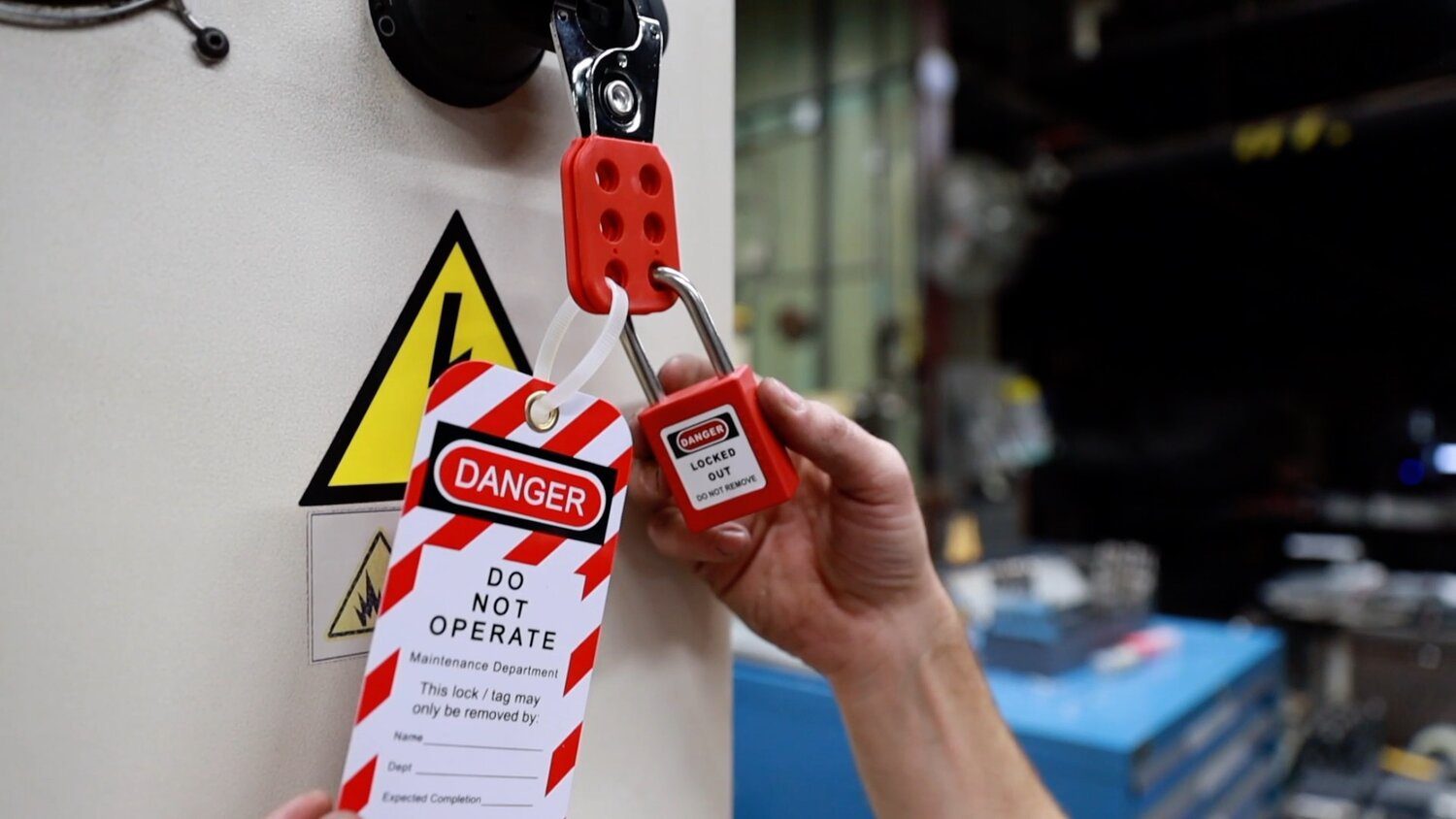
#### Example 2: Industrial Maintenance Team Topic: Lockout/Tagout During Motor Replacement - Hazards: Unexpected energization, stored energy - Discussion: “Who owns the lock? What if a shift change happens?” - Visual: Diagram of energy isolation points - Trigger: Scheduled equipment downtime

The team reported a 30% increase in verified LO/TO compliance after three months of reinforced talks.
#### Example 3: Municipal Road Crew Topic: Working Near Traffic - Hazards: High-speed vehicles, reduced visibility, distracted drivers - Discussion: “Are cones spaced correctly? Is the arrow board on?” - Visual: Site layout sketch with buffer zones - PPE: Class 3 visibility vests, bump caps
Introduced after a near-miss with a speeding pickup.
Integrating the Topics Doc into Daily Workflow
A topics doc shouldn’t live in a folder—it should drive action. Here’s how to operationalize it:
- Post Weekly Schedule
- Print the week’s topics and post in the trailer or break area. Include facilitator names.
- Sync with Daily Huddles
- Start each morning by reviewing the day’s talk. Keep it on a clipboard at the site entrance.
- Use Digital Tools
- Platforms like SafetyCulture or iAuditor allow supervisors to pull up talks on tablets, record attendance, and attach photos.
- Link to Incident Reports
- After a near-miss, add a related topic within 48 hours. Example: after a ladder slip, schedule “Ladder Selection and Setup” immediately.
- Review and Revise Quarterly
- Pull the management team and field leads together. Ask:
- - Which topics had the most engagement?
- - Which hazards have changed?
- - What’s missing?
This keeps the doc relevant and demonstrates leadership commitment.
Top 5 Toolbox Talk Topic Generators and Resources
While no tool replaces site-specific planning, these platforms help build and manage a topics doc:
| Tool | Best For | Key Features | Limitations |
|---|---|---|---|
| SafetyCulture (iAuditor) | Teams wanting digital delivery | Pre-built templates, analytics, photo logs | Subscription cost, learning curve |
| OSHA.gov | Free, compliance-aligned topics | Government-reviewed content, downloadable PDFs | Generic, requires customization |
| Creative Safety Supply | Visual-driven teams | Free printable topics with diagrams | Limited interactivity |
| SafetyNow | Enterprise-level tracking | Topic scheduling, LMS integration | Overkill for small crews |
| SiteManager (by Procore) | Construction project sync | Integrates with daily logs and schedules | Requires Procore ecosystem |
Choose based on team size, tech access, and compliance needs. Even using OSHA’s free guides as a starting point—with custom edits—can yield strong results.
Building a Culture, Not Just a Checklist
A toolbox talk topics doc is more than a compliance tool—it’s a cultural lever. When workers see that talks address their real concerns, they start showing up differently. They point out hazards unprompted. They correct each other’s PPE use. They suggest new topics.
That shift doesn’t happen overnight. But with a well-structured, consistently used topics doc, you create the foundation for a proactive safety culture—where every conversation matters, and every voice is heard.
Start by auditing your current approach. Is your topics list stagnant? Are talks repetitive? Do workers participate or just sign the sheet?
Revise your doc around real risks, real work, and real people. Schedule it, assign it, and review it. Make safety a dialogue, not a monologue.
Then watch what happens when a 10-minute talk becomes a habit that saves lives.
FAQ
What should you look for in Toolbox Talk Topics Doc: Essential Safety Conversations? Focus on relevance, practical value, and how well the solution matches real user intent.
Is Toolbox Talk Topics Doc: Essential Safety Conversations suitable for beginners? That depends on the workflow, but a clear step-by-step approach usually makes it easier to start.
How do you compare options around Toolbox Talk Topics Doc: Essential Safety Conversations? Compare features, trust signals, limitations, pricing, and ease of implementation.
What mistakes should you avoid? Avoid generic choices, weak validation, and decisions based only on marketing claims.
What is the next best step? Shortlist the most relevant options, validate them quickly, and refine from real-world results.